Branches and groups
Set the breakfast board on the branch and every screen in it follows. Franchise sites can be grouped apart from corporate ones, each keeping its own prices.
Digital signage for multi-branch operators
Menu boards, promotions and queue screens across every location, run by the people you already employ. Each screen holds what it needs, so a dropped line never blanks a wall.
| Branch | Screen | Showing | State |
|---|---|---|---|
| Kadıköy | Counter 1 | PLAYING6d | |
| Kadıköy | Counter 2 | PLAYING6d | |
| Kadıköy | Entrance | PLAYING2d | |
| Beşiktaş | Counter 1 | PLAYING6d | |
| Beşiktaş | Drive-thru | PLAYING6d | |
| Şişli | Counter 1 | PLAYING6d | |
| Şişli | Waiting area | STALE31h | |
| Ataşehir | Counter 1 | PLAYING6d | |
| Ataşehir | Entrance | PLAYING6d | |
| Üsküdar | Counter 1 | PLAYING6d | |
| Çekmeköy | Counter 1 | DARK4d 2h | |
| Bakırköy | Counter 1 | PLAYING6d | |
| Bakırköy | Upper floor | PLAYING2d | |
| Maltepe | Counter 1 | PLAYING6d |
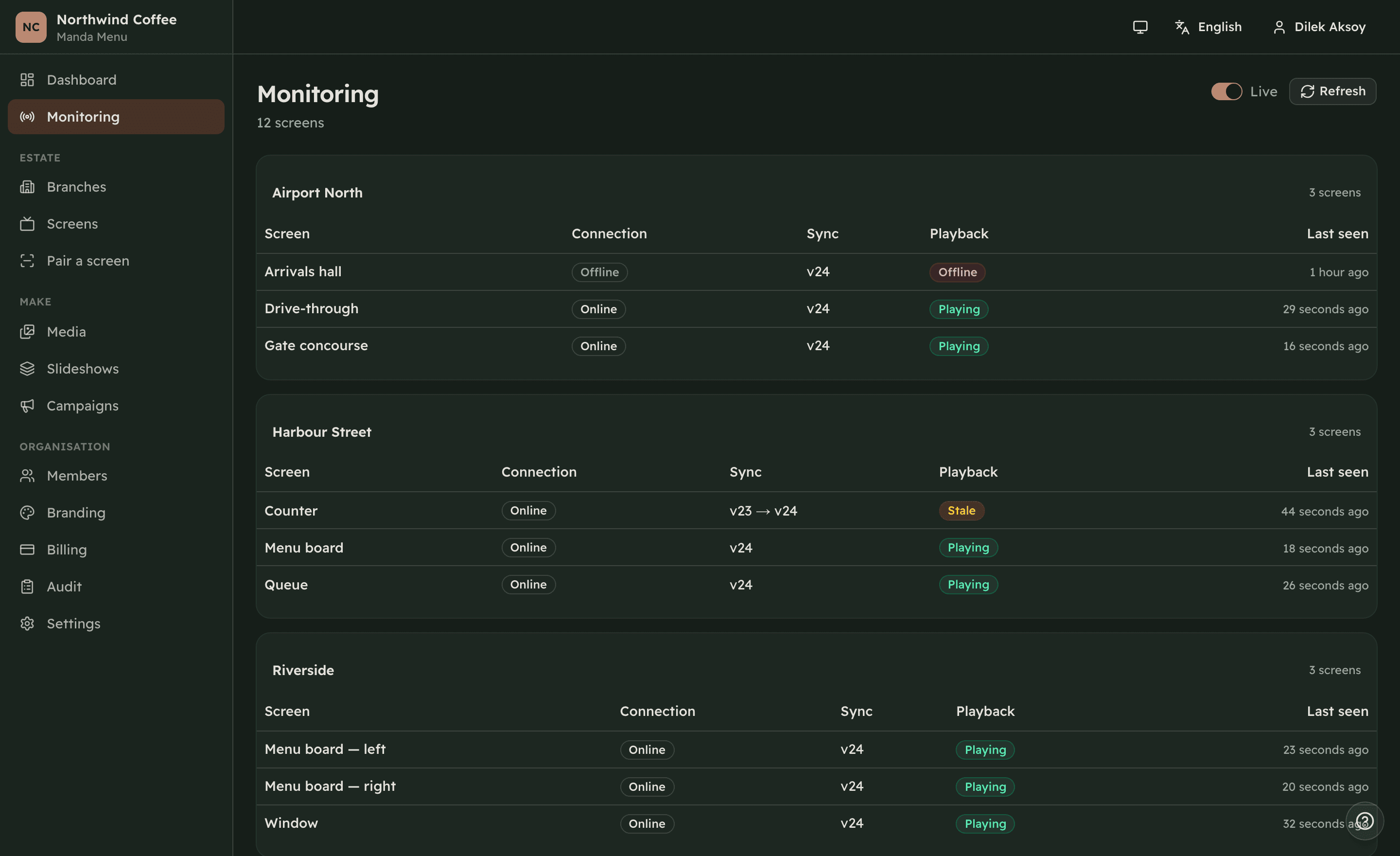
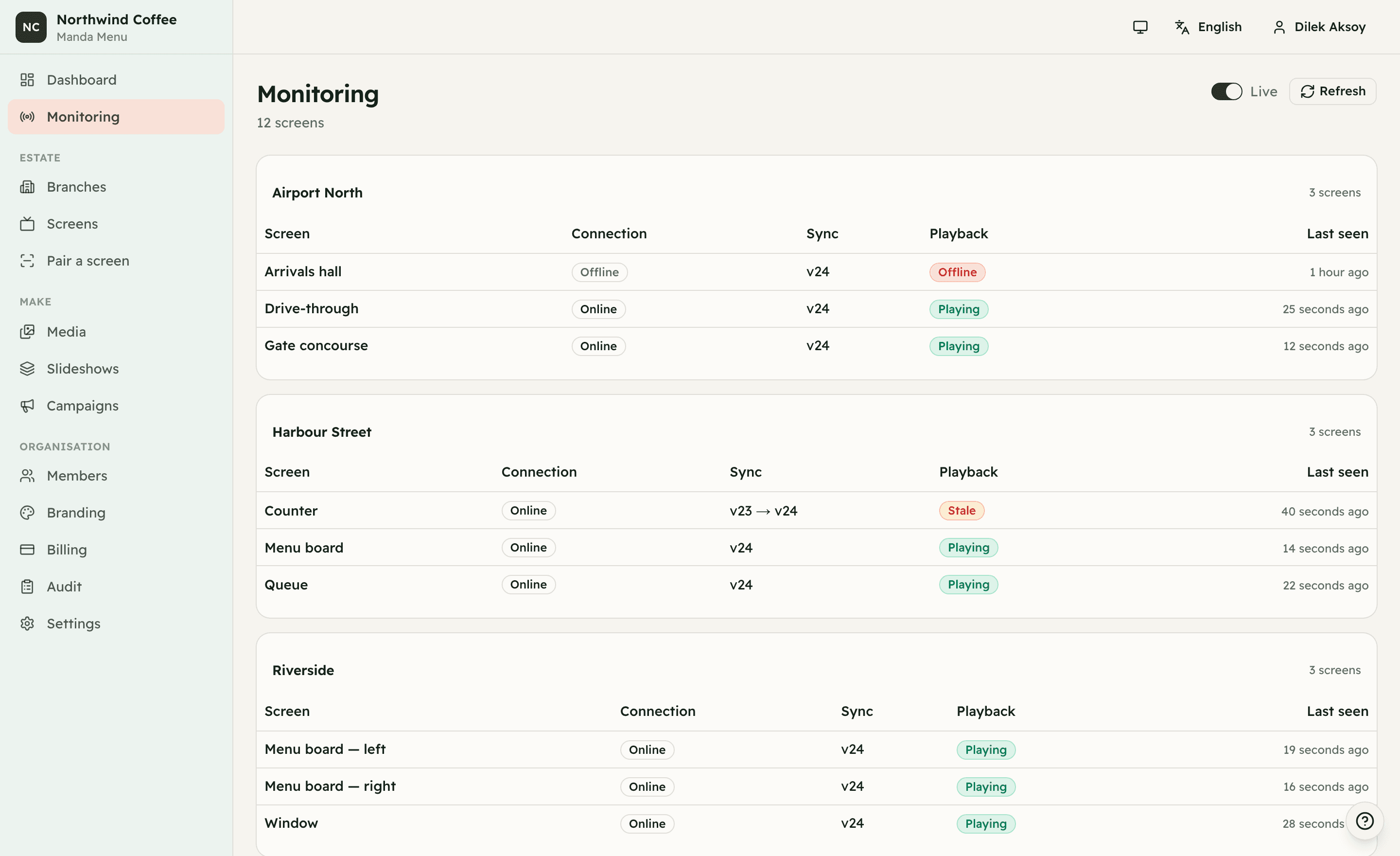
The monitoring view, on an example estate.
Not distance in kilometres — the gap between the moment a price changes and the moment a customer standing at the counter sees it.
One campaign covers the estate. Publish once, and the monitoring page tells you which screens have taken it and which have not.
Every screen reports what it is playing and when it last spoke. A dark wall shows as dark within minutes, with the branch name beside it.
Your own team uploads it and schedules it. A branch manager can change their own board without waiting for head office — and only their own.
Nothing here is repeated per television. A fourth shop is one more branch, not one more system to keep in step.
Restaurant groups, cafés, retail chains, clinics, gyms and franchises — menu boards, price lists, promotions and queue screens across every location.
Set the breakfast board on the branch and every screen in it follows. Franchise sites can be grouped apart from corporate ones, each keeping its own prices.
Nothing reaches a wall until you publish it, and every publish is a numbered version. A wrong price is one click back to the version before it.
Sections, items, allergens and calories held as data. One menu lights the board and opens on a customer's phone behind a QR code, at each shop's own prices — change a figure once and both follow.
Breakfast until eleven, lunch until four. The clock on the device decides, so the changeover happens even when the branch's connection does not.
Upload MP4 or WebM, or point a screen at YouTube or Vimeo. Video plays in full before the rotation moves on, so a thirty-second spot is not cut at fifteen.
A branch manager changes their own branch. A designer uploads without publishing. Head office keeps the final say, and every permission is checked on the server.
No installer, no set-top box, no site visit. Anything with a browser will do.
Branches, the screens in them, their sizes and orientations. You do this on the first day and rarely again.
Open one address on the screen itself and type the six-character code it shows. That is the whole installation.
Choose what each screen plays and publish. Watch the fleet come into sync while you are still on the page.
The office can wait for the network. A customer standing at the counter cannot.
Nothing on the wall changes. The screen is playing files it already holds, from its own disk.
Breakfast still ends at eleven. The clock on the device decides what plays, not a request to the server.
The screen asks what changed, downloads only that, and switches over once the download is whole.
Priced by the size of the estate, not by how much you publish. Every plan is the whole product; what differs is how many branches, screens and people it covers.
Device and fitting at published prices — $95.00 for a player box, $45.00 for the visit that installs it, over three years. The comparison is hardware only: our licence against the equipment a competitor needs before anything reaches a screen.
One location finding its feet.
$9.67 per screen
Several branches, scheduled content, your own brand on it.
$3.96 per screen
Unmetered, with a support commitment behind it.
Invoices are issued from the dashboard and paid by transfer. Nothing is charged automatically and no card is stored.
The whole product, on every plan. What changes between them is how many branches, screens and people you need — never which features you are allowed to use.
Everyone who needs an account gets one, up to your plan's limit. There is no charge per seat.
Upload what your designer already made, in the sizes your screens actually are. There is no design fee because there is no design desk in the way.
Every plan sees every screen and its history. Monitoring is part of the product, not an add-on.
Any device with a browser. Nothing to buy, nothing to rent, nothing to send back at the end.
No minimum term and no exit fee. Invoices are issued from the dashboard and paid by transfer.
The same branches, the same dashboard, further along the counter.
Order-and-pay interfaces on the same hardware and the same branch structure, so a kiosk is one more screen rather than one more supplier.
Kiosks are built on the branches and screens you already run — one supplier, one dashboard, one invoice. Ask on a demo and we will show you where it is.
If your question is not here, ask. A demo is a conversation with somebody who has run screens in branches, and you are welcome to bring your own menu to it.
A browser. A smart TV, a cheap stick, an old laptop — anything that can open a web page and stay on. You open one address on the screen and pair it with a code.
Yes. Ask for a demo and we set your branches up in a trial account. You pair one television, publish your own menu to it and watch it work. Nothing is invoiced until you say so.
The screen keeps playing what it already downloaded, and keeps following its schedule. You decide what a long outage does: keep playing, or fall back to a holding image.
By invoice. We issue it, you pay it by transfer, and we mark it paid. There is no card on file and nothing renews behind your back.
Only your organisation. Screens fetch media through checks that allow only what that specific screen was published, and members see only the branches they are assigned to.
Yes, including right-to-left layout throughout the dashboard. English, Turkish and Arabic are all first-class, and each screen can run in its own language.
Send us the shape of your estate — the branches, the screens, what plays where. We set it up in Manda Menu, walk you through it on your own content, and put a price in writing.
We answer on WhatsApp during working hours, and by email the same day.